

Using the Agent Library and Templates
The agent library provides preconfigured agent templates that can be adopted as a starting point for own agents and adapted. This way, no agent has to start from scratch.
License
The agent library requires the Builder license as well as global administrator or group admin rights (see Roles and Permissions).
What Can You Achieve with the Agent Library?
- Adopting a template as a starting point and adapting it freely, instead of creating an agent from scratch
- Adopting a template's finished instruction and capabilities and adapting them to the company's requirements
- Adopting the same template several times – every copy can be adapted independently
What Is the Agent Library?
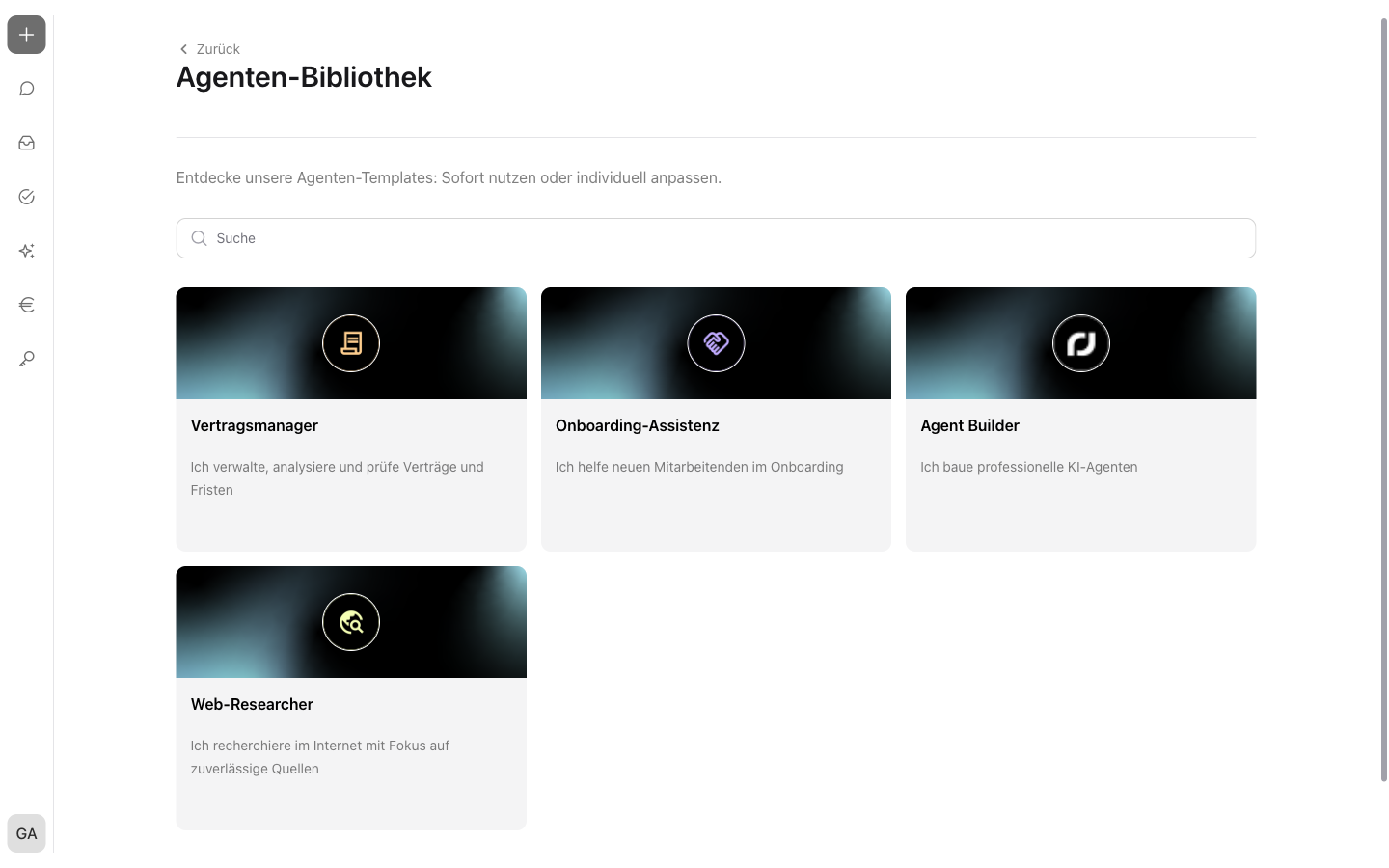
The agent library collects publicly available agent templates. Every template contains a finished configuration of instruction and capabilities. A template is adopted as an own copy and can be adapted freely afterward – the original in the library remains unchanged.
The agent library opens via the “Agent Library” button  at the top of the agents overview (see Understanding Agents – Agent Types and Customized Agents).
Finding and Understanding Templates
The agent library shows all available templates as cards with name and description. The search field at the top of the overview filters the cards by the template's name.
A click on a card opens the template's details dialog:
- Name, profile picture, and description – what the template is responsible for
- Instruction – the agent's stored base description
- Capabilities – the capabilities activated in the template with short description
- “Created by incoreon AI” – the originator of the template
- “Last updated” – the date of the last update
Via “Back” at the top of the page, the view returns to the agents overview.
Adopting and Adapting Templates
Via “Add agent” in the details dialog, the template is adopted as an own copy. Afterward, incoreon automatically opens the new agent's configuration page.
If the editing person belongs to several groups, the “Edit permission” dialog opens first. In it, the group that may edit the agent is chosen – the selection can be changed later.
incoreon confirms the adoption with the note that the agent has been added to the own agents.
Following Setup Notes
After the adoption, incoreon shows the note “Complete the setup: Fill in the template with your details to ensure full functionality.” on the configuration page. Via the “What is required?” link, the template's manual can be downloaded. The manual describes which steps are necessary for operation – e.g. storing credentials or defining the access rights.
Warning
Without completed setup, the template may work only to a limited extent. Download the template's manual before first use and work through it.
FAQs about the Agent Library
Are access rights adopted as well?
No, the rights are defined anew: The editing rights are chosen directly during adoption, the usage rights afterward in the agent's configuration (see Agent Components in Detail).