

Creating and Configuring Agents
This chapter describes how own agents are created – from the first draft via the configuration to managing existing agents. The individual components of an agent are described in the chapter Agent Components in Detail.
License
Creating and editing agents requires the Builder license as well as global administrator or group admin rights (see Roles and Permissions).
When Do I Need an Own Agent?
- When an area of work requires the same tasks again and again – an own agent takes them over permanently
- When there is no prior knowledge of instructions and capabilities – the AI assistant creates the finished base configuration from the goal
- When requirements change – existing agents can be adapted instead of creating new ones
Prerequisites for Creating Agents
Two things are required for creating agents: the Builder license and the right to manage agents. The management right is held by global administrators and group admins – for agents whose editing rights lie with their group.
Without management rights, the “Create Agent” and “Agent Library” buttons are missing in the agents overview.
Ways to Create Agents
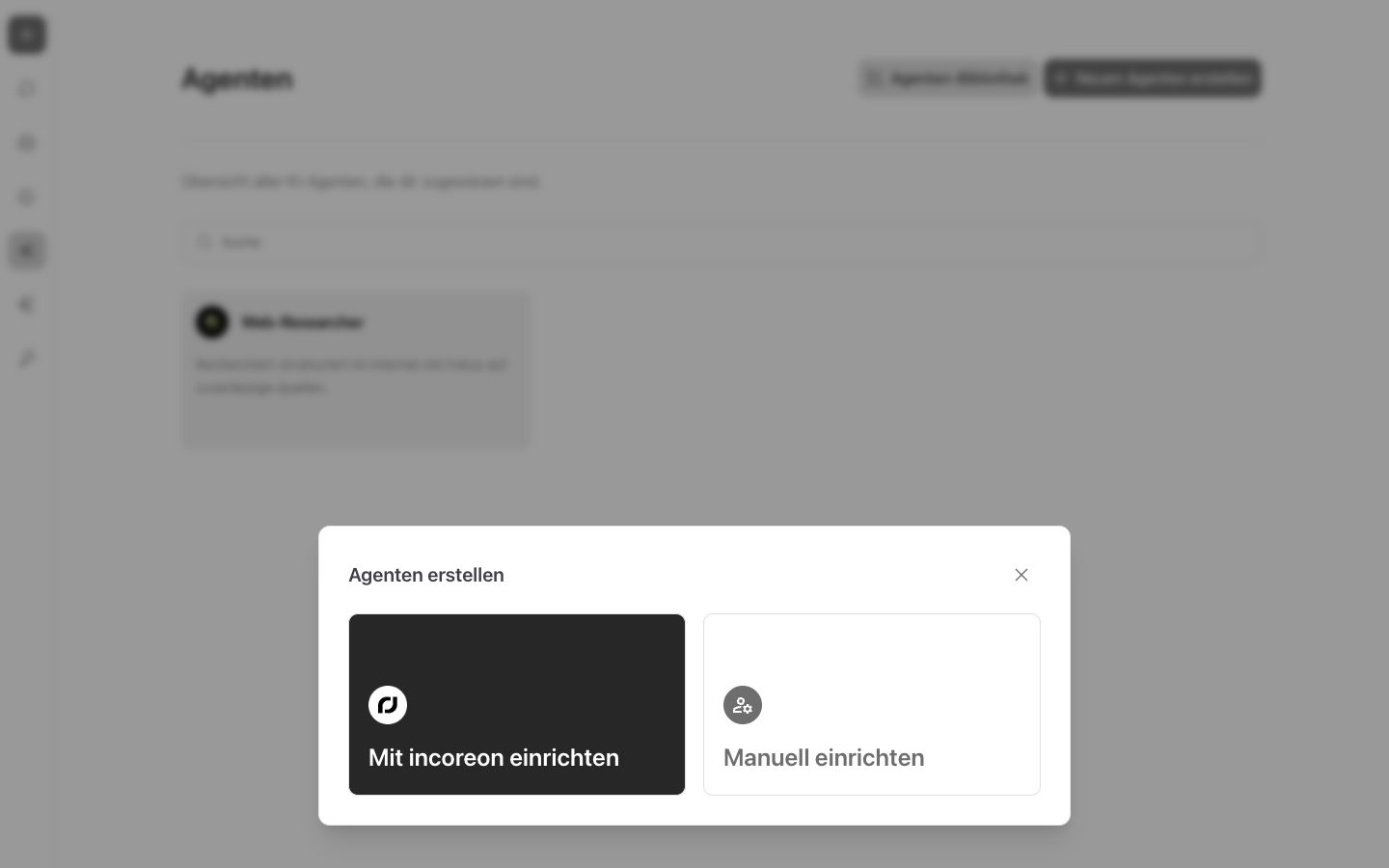
Via “Create a new agent” in the agents overview, the “Create Agent” dialog opens with two ways:
- “Create with incoreon”
 – an AI assistant asks about the goal in a chat and creates the agent from the answers.
 - “Create manually”
 – the configuration page opens empty, all components are filled in by hand.
Both ways lead to the same configuration page; switching is possible at any time later.
Setup with the AI Assistant
The AI assistant asks in a chat what the agent should be able to do in the end – best described in one to three short sentences. From the answers, the AI assistant creates the name, description, instruction, and matching capabilities. Afterward, the access rights have to be configured; all components can be adjusted in the interface.
If an error occurs, the AI assistant shows an error ID (see Troubleshooting and Support).
Manual Setup
With manual setup, the empty configuration page opens. Name, description, instruction, and language model are filled in by hand; capabilities, knowledge, sub-agents, access rights, and automations can be added afterward. The components in detail are described in the chapter Agent Components in Detail.
Via “Add agent”, the agent is saved for the first time. Only afterward can knowledge, sub-agents, and automations be added.
Using the AI Assistant When Editing
The AI assistant is also available after creation: Via the “incoreon” button at the bottom right of the configuration page, the chat with the AI assistant opens. In it, missing things can be added or changed – e.g. a supplemented instruction or further capabilities.
Editing Agents
In the agents overview, a click on an own agent's card opens the configuration page. There, all components can be adjusted; via “Save”, the changes are applied.
Warning
Before leaving the configuration page without saving, incoreon warns with the note “Unsaved changes!” Without saving, the changes are lost.
Shared agents cannot be edited – they are only released for use (see Understanding Agents – Agent Types and Customized Agents).
Deleting Agents
Via  next to the agent's title, “Delete agent” starts the deletion. Before deleting, incoreon asks whether the agent should really be deleted.
Warning
If the agent is stored as a sub-agent with other agents, incoreon shows the affected agents. When deleting, the agent is removed there as a sub-agent.
FAQs about Agent Creation
Why can “Add agent” not be clicked?
Required entries are missing: name, description, instruction, language model, and access rights – the agent must be assigned to at least one user, one group, or all users. In addition, incoreon waits for the capabilities to load.
Can a deleted agent be restored?
No. Deleting removes the agent permanently. A replacement has to be created anew or adopted from the agent library.
Do I have to create every agent myself?
No. Finished templates can be adopted from the agent library (see Using the Agent Library and Templates). And shared agents can be used directly (see Understanding Agents – Agent Types and Customized Agents).